
Charity

If you have ever opened a box of printed materials and spotted a thin white edge that should not be there, you have met the world of bleed or more accurately, the world of not enough bleed.
Bleed, trim, and safe zones are three terms that get thrown around a lot in print, yet most people outside design roles are never taught what they mean. When you work across multiple sites or teams, understanding these basics is one of the easiest ways to avoid delays, reprints and those small but frustrating inconsistencies that make everything feel a bit off.
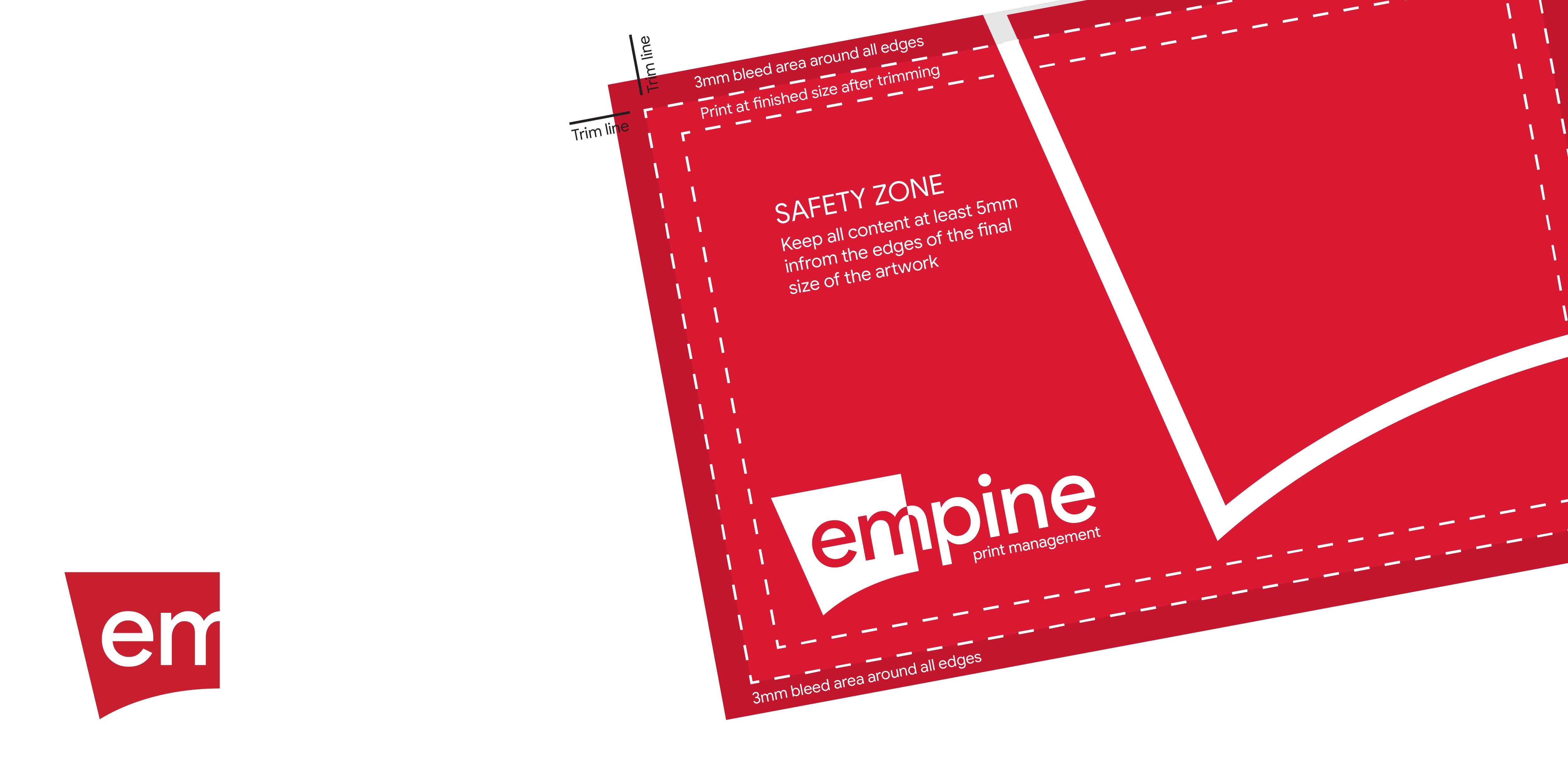
Bleed is the extra area that goes beyond the final cut size of your artwork. You do not see it in the final piece. It is trimmed away.
Why? Because printed items are cut in stacks, and cutting is never accurate to the fraction of a millimetre. A tiny movement in the stack can expose an edge you did not intend to be visible. Bleed is your safety net.
If your design goes all the way to the edge, bleed makes sure it reaches the edge, not just in theory.
The standard for almost all printed items is 3 mm on every side.
So if your finished leaflet is A5 at 148 mm x 210 mm, your document should be set to 154 mm x 216 mm including bleed.
If you skip this step, you almost always end up with an unwanted white line somewhere.
These two are easy to mix up. Trim size is the final size of the printed item once it has been cut whereas document size is the trim size plus the bleed area.
If your document size and trim size are the same, you have not added bleed.
The safe zone is the area inside your artwork where you should keep anything important, like text, logos and key graphics.
Why? Because just as cutting can shift slightly outward, it can also shift slightly inward. If your phone number or headline is sitting too close to the edge, there is a real risk it will be clipped.
A good rule: keep important content at least 3 to 5 mm inside the trim area.
If you have ever seen a design where a key detail feels uncomfortably close to the edge, that is a safe zone issue.
A simple check that prevents most issues:
If you can tick these boxes, you are in good shape.
If you want support with your printed materials or you are managing multiple locations and want to simplify the process, we are always here to talk through what you need.